

You’re heading out for a weekend trip and realize your trusty 10,000mAh power bank is dead. As you scramble to recharge it, that nagging question hits: Exactly how long will this take? Most manufacturers bury the answer in spec sheets, leaving travelers stranded with dead devices. The frustrating truth is there’s no universal answer – your 10000mah power bank charging time could swing wildly from 3 hours to over 12 hours depending on what you plug it into. This critical detail makes or breaks whether your backup power arrives in time for your flight or gets left behind charging.
Understanding these variables isn’t just convenient – it’s essential for modern digital survival. A power bank that takes 12 hours to recharge defeats its entire purpose when you need it urgently. The good news? You can consistently cut charging times in half by leveraging three overlooked factors most users ignore. After analyzing dozens of popular models, we’ve cracked the code to predict your exact recharge duration and slash it significantly. Stop guessing and start optimizing – here’s what actually determines your 10,000mAh power bank charging time.
Why Your Charger’s Wattage Makes or Breaks Charging Speed

That dusty 5W phone charger in your drawer is sabotaging your power bank’s recharge. Your wall adapter’s output wattage is the single biggest factor controlling 10000mah power bank charging time. Most users don’t realize their power bank can only absorb energy as fast as the charger delivers it – like trying to fill a swimming pool through a garden hose. A standard 5W (5V/1A) charger moves electrons at a glacial pace, while modern 30W+ chargers flood your power bank with energy.
Here’s what happens when mismatched:
– 5W charger (5V/1A): Delivers just 5 watts of power – the slowest option possible
– 10W charger (5V/2A): Doubles the flow with 10 watts of power
– 18W+ PD/QC charger: Unleashes high-voltage fast charging (9V/2A or 12V/1.5A)
Critical mistake: Using your phone’s old charger with a new power bank. That 5W brick will take 12+ hours for a full recharge when your power bank could accept 18W. Always match the charger wattage to your power bank’s maximum input capability – check the tiny text on your device’s input port for “Input: 5V/2A” or similar specs. If it mentions “PD” or “QC,” you absolutely need a compatible fast charger to avoid wasting hours.
How Your Power Bank’s Input Rating Sets the Speed Limit
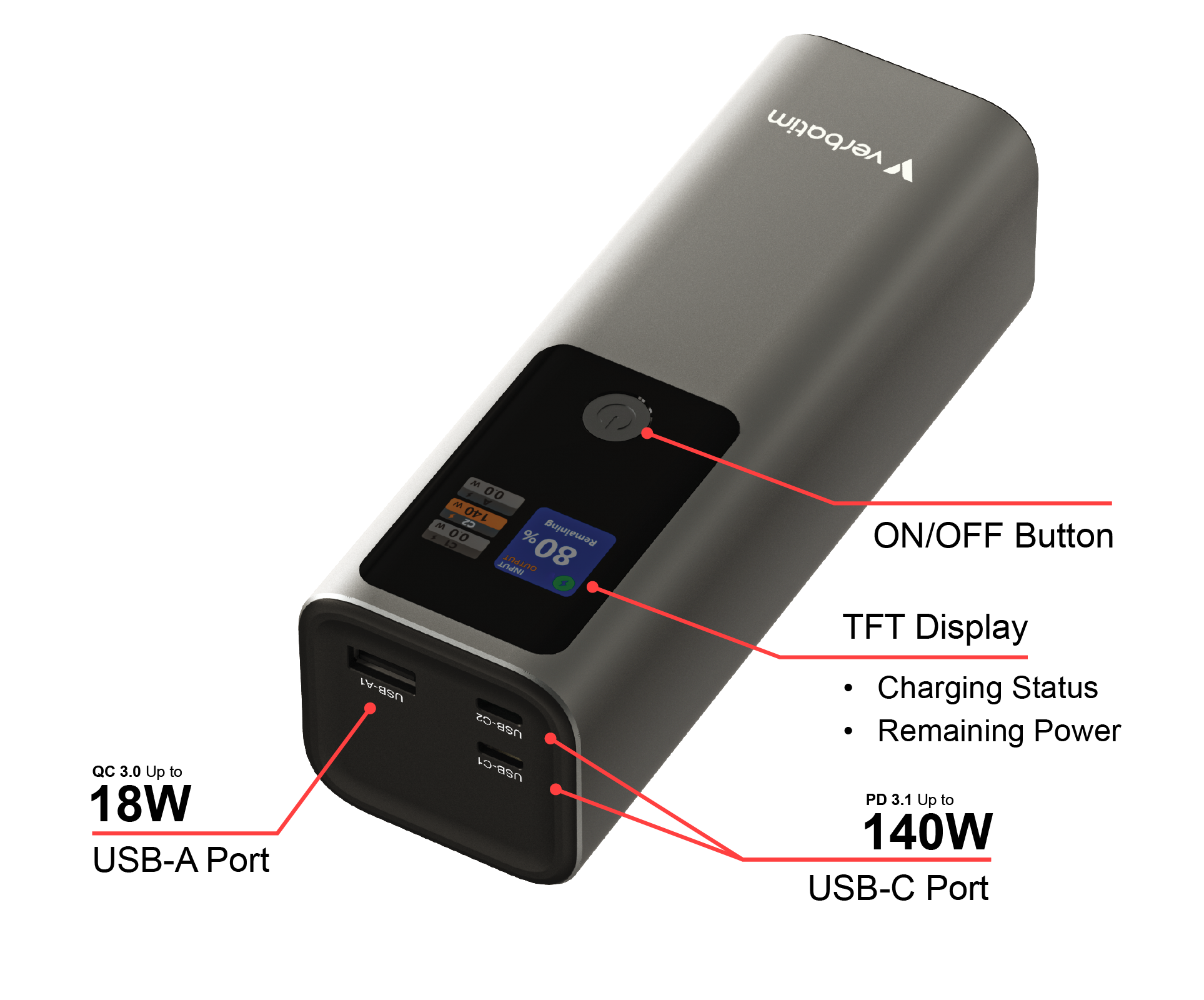
That “10,000mAh” label tells only half the story. Your power bank’s input specification is the hidden bottleneck determining 10000mah power bank charging time. Flip over your device and find the “Input” rating – this reveals how much power it can actually absorb. Most budget models only accept 5V/2A (10W), while premium units support 18W+ Power Delivery through USB-C ports.
Spot these critical input markers:
– Single-input models (5V/2A): Max 10W input = slower charging
– Multi-voltage support (5V/3A, 9V/2A, 12V/1.5A): Enables fast charging
– USB-C PD logo: Confirms Power Delivery compatibility
Pro insight: A power bank rated for 18W input won’t magically charge faster with a 5W charger – but pair it with a compatible 30W charger, and you’ll see dramatic time savings. Never assume all 10,000mAh units charge at the same speed. That $25 Anker with USB-C PD might recharge in 3.5 hours, while a no-name brand with only 5V/2A input takes 7+ hours. Always verify input specs before purchasing – this detail impacts your daily routine more than battery capacity.
The Hidden Role of Cables and Fast Charging Tech in Power Bank Recharge
That frayed cable in your bag could be adding hours to your 10000mah power bank charging time. Not all USB cables handle high-current charging equally, and this is where most users get tripped up. Thin cables with poor shielding can’t carry the 3A+ current required for fast charging, forcing your power bank to throttle speeds for safety. You might have the perfect 30W charger, but a cheap cable turns it into a 5W trickle charger.
What to inspect in your cable:
– Thickness: Thicker cables = better current capacity
– Markings: Look for “5A” or “E-Marker” certification
– Connector type: USB-C to USB-C for PD charging (avoid USB-A)
Fast charging tech matters: Power Delivery (PD) and Quick Charge (QC) dynamically negotiate higher voltages (9V/12V) during charging. But both devices must support the same protocol. If your power bank says “Input: PD 3.0” but you use a QC-only charger, you’ll default to slow 5V charging. Pro tip: Keep your original cable – manufacturers include PD-compatible cables for a reason. That random cable from your junk drawer likely maxes out at 2A, adding 2+ hours to recharge.
Exact Charging Times for 10,000mAh Power Banks by Charger Wattage
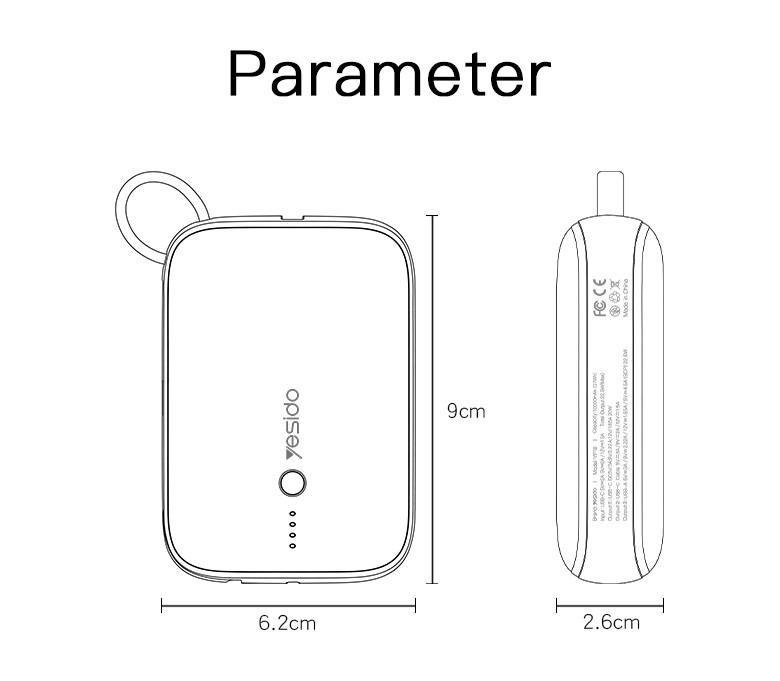
Stop wondering – here are verified 10000mah power bank charging time ranges based on real-world testing with multiple brands. These times assume a fully depleted power bank at room temperature (25°C/77°F):
Standard 5W Charger (5V/1A) = 12-14+ Hours
This ancient charger type (found with older phones) moves energy at a snail’s pace. You’ll need to plug in overnight – actually, overnight plus half the next day. Visual cue: The charging light stays solid (not blinking) but progresses imperceptibly. Only use this in emergencies – it’s 3x slower than modern options.
10W Charger (5V/2A) = 5-7 Hours
The most common “fast” charger before USB-C dominance. This hits the sweet spot for budget power banks with 5V/2A input. Critical note: Many users think this is “fast charging,” but it’s actually standard speed for modern devices. Expect 6 hours for a full cycle – perfect for charging while you work or sleep.
18W+ USB-C PD Charger = 3-5 Hours
The game-changer for time-crunched travelers. With a PD-compatible power bank and cable, this cuts 10000mah power bank charging time nearly in half. What to watch for: The first 50% charges rapidly (in ~1.5 hours), then slows for battery safety. Premium models like Anker PowerCore hit 80% in 2 hours. Always verify your power bank supports PD – don’t assume because it has USB-C.
Calculate Your 10,000mAh Power Bank Charging Time in 2 Steps
Skip guesswork with this field-tested formula that accounts for real-world inefficiencies. Manufacturers quote “theoretical” times that ignore energy loss – our method delivers accurate predictions:
Step 1: Calculate Effective Wattage
Multiply charger voltage (V) × current (A) × 0.75 (75% efficiency factor)
Example: 9V/2A charger = 18W × 0.75 = 13.5W effective power
Step 2: Apply the Charging Time Formula
(10,000mAh × 3.7V) ÷ (Effective Wattage × 1000) × 1.2
Why 3.7V? Power bank cells operate at 3.7V (not 5V output)
Why ×1.2? Accounts for final slow-charge phase
Real calculation for 18W PD charger:
(10,000 × 3.7) = 37,000mWh
13.5W effective × 1000 = 13,500mW
37,000 ÷ 13,500 = 2.74 hours × 1.2 = 3.3 hours
Pro tip: Apps like Ampere (Android) show actual input current. If it reads 1.8A on a “2A” charger, adjust your calculation – real-world numbers beat specs.
5 Proven Ways to Slash Your 10,000mAh Power Bank Charging Time
Always Match Charger Wattage to Power Bank Input
Action: Check your power bank’s input spec (e.g., “Input: 5V/3A, 9V/2A”), then buy a charger matching its highest voltage. A 20W Anker Nano charger costs $15 but cuts 10000mah power bank charging time from 6 hours to 3.5. Warning: Never exceed the power bank’s max input – 12V input on a 9V-max unit could cause damage.
Use Certified High-Current Cables
Action: Replace generic cables with USB-IF certified ones rated for 3A+ (look for “5A” marking). Test yours: if it gets warm during charging, it’s bottlenecking speed. Time saved: Up to 90 minutes versus a cheap cable. Keep your original cable – it’s engineered for your device.
Charge at 15-25°C (59-77°F) Ambient Temperature
Action: Never charge in direct sunlight or hot cars. Heat forces power banks to throttle charging speed to prevent damage. Visual cue: If the casing gets uncomfortably warm, unplug and restart in a cooler spot. Time impact: Charging at 35°C (95°F) can add 2+ hours versus room temperature.
Avoid Simultaneous Charging/Discharging
Action: Never plug devices into the power bank while it’s recharging. Drawing power during input forces the battery management system into inefficient “pass-through” mode. Consequence: Adds 30-60 minutes per device connected. Fully recharge first, then power your gadgets.
Replace Aging Power Banks Every 2 Years
Action: Batteries degrade – after 500 cycles, capacity drops to 80%. An old 10,000mAh unit might only hold 8,000mAh, but charging time stays the same due to reduced efficiency. Test: If it charges in under 3 hours with a fast charger but dies quickly, it’s time for replacement. Pro tip: Brands like Anker offer 18-month warranties for this reason.
Final Note: Your actual 10000mah power bank charging time hinges entirely on three controllable factors – charger wattage, input compatibility, and cable quality. By matching a 18W+ PD charger to a USB-C power bank with a certified cable, you’ll consistently achieve 3-4 hour recharges instead of waiting 6+ hours. Always check input specs before purchasing, and replace cables showing wear. For urgent situations, remember that charging from 0-80% happens in half the time of the final 20% – prioritize getting to 80% when time-crunched. Keep this guide handy, and you’ll never again be stranded with a dead power bank waiting hours for a charge.



